
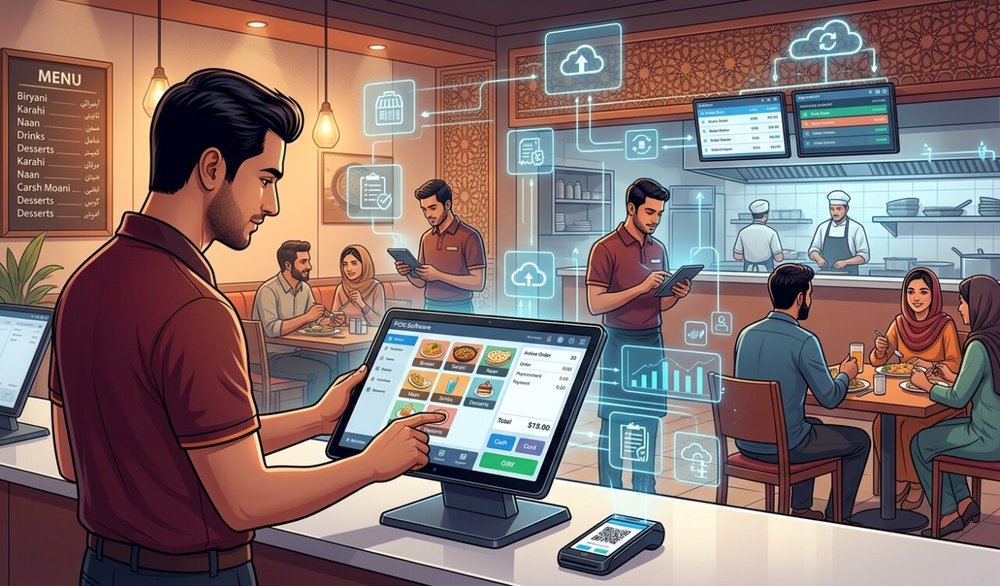
Point-of-sale systems can help restaurants in Pakistan manage billing, inventory, purchasing, kitchen workflows, customer records, branch reporting, and tax documentation, but adoption is not simply a matter of installing software at the counter. Food businesses operate under high transaction volume, thin margins, staff turnover, internet and power disruptions, complex menus, cash handling, delivery platforms, and rapidly changing tax requirements. A POS project succeeds only when the software fits those realities and the restaurant is willing to redesign processes around reliable data. Pakistan’s formal POS ecosystem has also grown. The Federal Board of Revenue’s July 31, 2026 figures list 13,586 integrations across 37,378 branches, including 1,126 restaurant integrations covering 1,760 branches. Those numbers show that integration is no longer unusual, but they do not mean every restaurant faces the same legal obligation or that all businesses use the same technology. Operators should confirm the tax rules that apply to their entity, province, turnover, and business model rather than relying on generic claims from software vendors.
POS Systems In Pakistan and Upfront Cost Is Only the First Adoption Barrier
A restaurant owner may initially compare subscription price, terminal cost, printer cost, and installation fee. The larger financial question is total ownership cost over several years. Hardware replacement, support, payment-gateway fees, additional branches, kitchen display screens, barcode equipment, training, backups, cloud storage, integrations, and premium reporting can all increase the real cost. Small restaurants should avoid buying an enterprise package simply because it has more features. A system that handles menu management, sales, tax, inventory, and basic reporting reliably may create more value than a complex product staff do not use.
Weak or Unstable Connectivity Can Disrupt Cloud POS Workflows. Cloud systems are attractive because managers can view sales remotely, centralize branches, and reduce dependence on one local computer. The tradeoff is internet dependency. If connectivity fails during a busy dinner period, staff still need to take orders, print kitchen tickets, and collect payment. A good restaurant POS should therefore have a clear offline mode or business-continuity process rather than simply displaying an error until the connection returns. Before purchasing, test what happens when internet access disappears for 20 minutes. Can orders still be entered? Are receipts issued? How are transactions synchronized later? What happens if two terminals create conflicting updates while offline?
Power Reliability Affects Hardware as Well as Software
Restaurants depend on routers, terminals, printers, kitchen screens, payment devices, and network equipment. Even a cloud system stops functioning locally when power fails. UPS units, surge protection, generator or solar backup, and a documented manual fallback can be more important than an advanced analytics dashboard during an outage. Backup planning should include the network, not only the cashier computer. A powered terminal without a router or printer may still leave the restaurant unable to complete the normal workflow. Staff Resistance Usually Comes From Workflow Friction. Cashiers, waiters, kitchen staff, and supervisors may resist a POS when the system feels slower than handwritten orders or when management introduces it without explaining the benefits. Resistance is often a design signal rather than simple unwillingness. Too many screens, confusing item names, hidden modifiers, slow printers, or excessive permissions can make a good software product fail operationally. Configure the menu around how staff actually take orders. Place common items prominently, standardize modifiers, and train employees using realistic lunch and dinner scenarios rather than a classroom demonstration with no queue.
Training Must Include Mistakes, Not Only the Ideal Workflow
Real restaurant operations involve voids, refunds, split bills, discounts, item substitutions, cancelled kitchen tickets, wrong table numbers, card failures, and delivery orders that change after entry. Training that covers only “open table, add item, take payment” leaves staff unprepared for the first busy shift. Create short procedures for common exceptions and define which roles can approve them. Good permissions reduce fraud without making every small correction depend on the owner. Inventory Accuracy Is Harder Than Installing an Inventory Module. Food inventory is complex because ingredients are purchased in one unit, stored in another, and sold as recipes. A restaurant may buy kilograms of chicken, liters of oil, and cases of beverages but sell individual portions. Waste, spoilage, staff meals, recipe substitutions, and portion variation create additional differences between theoretical and actual stock. Using inventory management software effectively requires recipe definitions, purchase records, stock counts, wastage procedures, and consistent units. If those inputs are weak, the POS can produce precise-looking reports that are still wrong.
Menu Engineering Requires Clean Data
A modern POS can report sales by item, category, time, branch, server, and channel. When recipe costs are accurate, management can compare popularity with contribution margin and identify products that sell well but earn little. The analysis depends on current costs, however. Inflation and supplier changes can make recipe margins outdated quickly if purchase prices are not maintained. Restaurants should review major ingredient costs regularly and avoid treating last year’s menu margin as permanent. FBR Integration Creates Technical and Compliance Responsibilities. The existing Federal Board of Revenue: POS Legal Provisions page brings together the legal instruments governing integrated POS and electronic sales tax invoicing, including rules and SROs updated through 2025. The FBR framework has changed over time, so restaurants subject to integration should work from current FBR instructions and applicable tax advice rather than from a software seller’s old brochure. An integrated invoice process can involve prescribed information, transmission, verification, and system requirements. The POS vendor should explain exactly which part of compliance it provides and which obligations remain with the registered business.
Current FBR Integration Numbers Show Real Adoption
The FBR’s Federal Board of Revenue: POS Integrated Retailers Statistics and current 2026 statistics show thousands of integrated businesses and branches, including a substantial restaurant segment. For operators, the significance is that vendors should now have real implementation experience rather than treating integration as an experimental feature. Ask the provider how many restaurant integrations it currently supports, how failed invoice transmission is handled, and how software updates are deployed when FBR requirements change. Provincial Tax Rules Add Another Layer. Pakistan’s food businesses can face federal and provincial taxation depending on their structure and services. Provincial revenue authorities may impose requirements that differ by province. A restaurant operating in Punjab, Sindh, Islamabad, or multiple jurisdictions should not assume that one POS configuration satisfies every tax rule automatically. Multibranch groups need a clear tax mapping for each outlet, menu item, service charge, delivery channel, and invoice type. Configuration errors can create systematic reporting mistakes across thousands of transactions.
Payment Integration Can Simplify Reconciliation
When card terminals, wallets, bank transfers, and online payment methods are integrated with the POS, the system can reduce manual entry and make end-of-day reconciliation easier. Without integration, staff may select “card” in the POS even when the payment failed or enter the wrong amount manually. Integration should still allow exceptions and settlement reconciliation. The amount shown as paid during the shift is not necessarily the same as the amount deposited after payment-provider fees, reversals, or chargebacks. Delivery Platforms Can Fragment the Order Flow. Restaurants often receive orders from dine-in tables, telephone calls, their own website, and third-party delivery apps. If each channel uses a separate tablet, employees may re-enter orders into the POS, increasing errors and delaying the kitchen. Integration can centralize order intake, but third-party APIs, commissions, menu synchronization, and outage handling add complexity. Before buying a POS, list every ordering channel and confirm which integrations are native, which require middleware, and which are still manual.
Kitchen Display Systems Can Improve Coordination
Paper tickets remain reliable and familiar, but kitchen display systems can route items by station, show preparation times, and reduce lost tickets. The system should match the restaurant’s kitchen layout. A small café may not need multiple screens, while a large restaurant may benefit from separate grill, beverage, dessert, and expediter views. Test screen readability under heat, grease, noise, and rush-hour conditions. Technology that works in a quiet sales demo may perform differently beside a busy cooking line. Fraud Controls Need Balanced Permissions. POS logs can reduce cash leakage by recording voids, discounts, refunds, drawer opens, cancelled items, and user activity. Overly strict controls can also slow legitimate service. A useful permission model lets ordinary staff correct routine errors within limits while requiring supervisor approval for higher-risk actions. Management should review exception reports rather than assuming that installing a POS eliminates theft. Fraud can shift from unrecorded cash to misuse of discounts, refunds, loyalty points, or inventory adjustments.
Data Security Becomes a Business Risk
A POS can store customer contact details, staff accounts, sales history, supplier records, and integration credentials. If card data enters the system, payment-security requirements become even more serious. Businesses should use unique staff logins, strong admin authentication, encrypted connections, timely software updates, backups, and limited access to sensitive reports. Do not let every cashier share one administrator password. Shared credentials destroy accountability and make incident investigation difficult. Cloud Backups Need a Restore Plan. “Your data is in the cloud” is not the same as having a tested recovery process. Ask how often data is backed up, where backups are stored, how long they are retained, and what happens if the vendor suffers an outage or the account is accidentally deleted. Export options matter as well because restaurant data should not become impossible to retrieve if the business changes vendors. Run a recovery test before a crisis. Knowing how long it takes to restore menus, users, and sales history is part of continuity planning.
Vendor Lock-In Can Become Expensive
A restaurant that builds years of menus, recipes, customer data, loyalty programs, and reports inside one platform may find migration difficult. Before committing, ask which data can be exported in common formats and whether APIs are available. Also understand contract length, cancellation terms, hardware ownership, and whether terminals can be reused with another system. A provider such as myPOS or any alternative should be evaluated on support, uptime, integration history, exportability, pricing, and actual restaurant references—not only the feature list. Restaurant-Specific Features Matter More Than Generic Retail Features. A modern restaurant software system should handle tables, modifiers, courses, split bills, kitchen routing, delivery orders, recipe stock, discounts, and service charges in a way that matches the operation. A general retail POS may scan products efficiently but feel awkward when the waiter needs to move a table, split appetizers, or hold a course. Choose software around the restaurant’s busiest workflow rather than around the owner’s back-office dashboard.
A Practical POS Adoption Sequence
- Document the current order, payment, kitchen, stock, and tax workflows.
- Identify legal and FBR/provincial integration requirements that actually apply.
- Select a system using real restaurant scenarios and outage testing.
- Clean the menu, prices, modifiers, recipes, users, and permissions before launch.
- Train staff on both normal orders and common mistakes.
- Run the old and new processes in parallel briefly where practical.
- Review sales, stock, voids, payment reconciliation, and invoice transmission daily during the first weeks.
Multi-Branch Restaurants Need Change Control
Once several branches share one POS environment, a small configuration change can affect every outlet. Menu prices, tax mappings, discount rules, recipe quantities, user permissions, and printer routing should therefore follow a controlled approval process. Branch managers need to know which settings they can change locally and which are centrally managed. Otherwise, identical products can be billed or reported differently across locations. Test major changes in one branch or a staging environment before rolling them out widely. Keep a record of who changed prices or tax settings and when. Centralization is one of the biggest benefits of a modern POS, but it becomes a risk when one mistaken edit is distributed to every cashier and kitchen simultaneously.
Conclusion
The biggest challenges of adopting POS systems in Pakistan’s food industry are not limited to software cost. Restaurants must deal with connectivity and power, staff training, menu complexity, recipe-based inventory, payment reconciliation, delivery platforms, security, tax integration, and vendor dependence. FBR’s 2026 statistics show that POS integration is already established across thousands of businesses and more than a thousand restaurant integrations, but each operator still needs to confirm which legal rules apply to its own entity. The strongest implementation starts with the restaurant’s real workflow, chooses only the technology it can support, and treats accurate data, staff adoption, backups, and compliance as ongoing operational responsibilities rather than one-time installation tasks.