
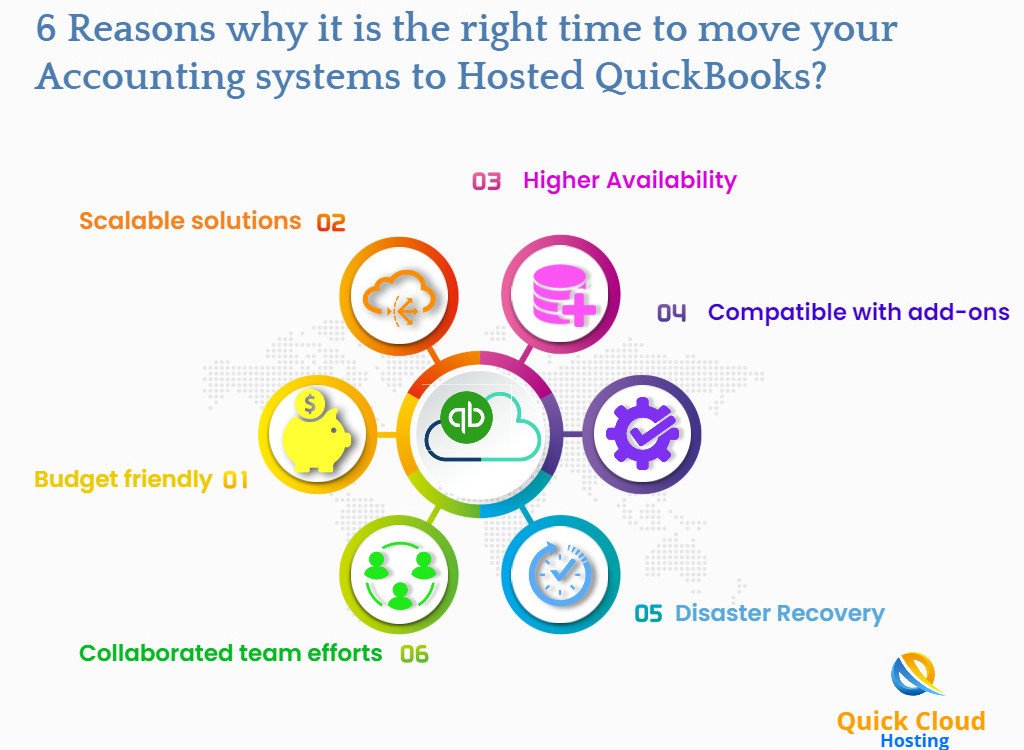
Hosted QuickBooks allows a business to keep using QuickBooks Desktop in a remotely hosted environment rather than running the company file only on an office computer or local server. For organizations that depend on established desktop workflows but need employees, accountants, or outside advisers to work from different locations, Hosted QuickBooks can provide a practical middle ground between a traditional local installation and a full move to cloud-native accounting software.
The main benefit is not that hosting magically turns QuickBooks Desktop into a different product. The application still has desktop architecture, file-size limits, user licensing, update requirements, and integration constraints. Hosting changes where the software runs and how users connect to it. That can improve access, centralize files, and reduce dependence on one office network, but it also creates new responsibilities around provider selection, internet reliability, authentication, backup testing, and exit planning.
Remote Access and Centralized Files Reduce Local Dependency
In a hosted setup, authorized users can connect to the same QuickBooks environment from approved locations rather than carrying company files on laptops or using informal remote-access tools. This is useful for distributed accounting teams, businesses with multiple offices, seasonal staff, and companies whose external accountants need controlled access. Centralization also reduces the risk that several people work on different copies of the same company file and later struggle to reconcile changes.
Multi-user collaboration is still limited by the QuickBooks edition, subscription, and hosting configuration, so the provider should confirm exactly how many simultaneous users and company files are supported. Hosting should also preserve appropriate role separation. A user who enters bills does not necessarily need authority to change vendors, approve payments, or administer the server simply because all work happens in one remote environment.
Managed Infrastructure Can Simplify IT, but It Does Not Remove IT Risk
A hosting provider may manage server hardware, operating systems, backups, monitoring, and portions of application maintenance, reducing the need for a small business to operate its own server room. This can make scaling easier when more storage, memory, or users are needed. It can also improve availability if the host has redundant power, network connectivity, and data-center infrastructure that would be expensive for a small company to build independently.
Those benefits should be verified rather than accepted as blanket marketing claims. Ask how uptime is measured, what maintenance windows apply, how incidents are escalated, and whether resources are shared or dedicated. A service can be “cloud hosted” and still suffer poor performance if the server is undersized, the company file is very large, or the user’s internet connection is unstable. A trial using the real workload is more informative than a generic demo.
Backups and Disaster Recovery Need to Be Tested
Centralized backup is one of the strongest reasons to consider hosting, particularly for businesses that currently depend on manual local copies. The important questions are how often backups are created, how long they are retained, whether multiple restore points exist, and how quickly a complete QuickBooks company file can be recovered after corruption, ransomware, accidental deletion, or provider failure. A backup policy is valuable only if restoration has been tested successfully.
Businesses should understand what happens during a regional outage or if the provider becomes unavailable. Internet redundancy at important offices, documented emergency contacts, and an approved method for obtaining current data can improve continuity. Claims that hosting fully protects financial data from every disaster are unrealistic; resilience comes from layers of controls rather than one vendor promise.
Security Remains a Shared Responsibility
The host can secure servers and data-center infrastructure, but the customer still controls passwords, user accounts, endpoints, permissions, and many business processes. Multifactor authentication, individual user accounts, least-privilege access, timely offboarding, endpoint protection, and secure handling of exports or printed checks remain important. Shared usernames weaken audit trails and make it harder to understand who changed accounting records.
Integrations also need security review. Payroll systems, banking tools, tax software, document-management platforms, scanners, printers, and other add-ons can behave differently in a remote desktop environment. Test them before migration and confirm which party is responsible for installing updates, maintaining credentials, and troubleshooting failures. A hosting platform should not be evaluated only by how quickly QuickBooks itself opens.
Compare Hosting Cost With Local and Cloud-Native Alternatives
The financial comparison should include hosting fees, QuickBooks licensing, user charges, support, storage, migration, backup, security, local internet redundancy, and any specialist integration costs. Local infrastructure has hardware, maintenance, electricity, backup, and IT labor costs of its own, so a simple monthly-price comparison can be misleading. Conversely, hosted QuickBooks may become expensive if many users require dedicated resources or complex support.
Businesses should also compare the workflow with QuickBooks Online or another cloud-native platform. Hosting is strongest when desktop-specific features, company files, reports, or integrations are still strategically important. If the organization mainly needs browser-based collaboration, modern APIs, and simpler administration, a cloud-native migration may offer more long-term value than paying to host an old desktop workflow.
Provider Choice and Exit Planning Matter Before Migration
Third-party QuickBooks cloud hosting providers differ in application support, security controls, data location, performance, backup, help-desk capability, and contract terms. Before signing, ask how your data will be returned if you leave, how long the provider keeps copies after termination, and whether there are fees for exports or migration assistance. Vendor lock-in is much easier to manage when the exit process is defined before the relationship begins.
A migration should therefore include a pilot, user training, integration testing, performance baselines, documented cutover steps, and a rollback plan. The goal is not merely to move the file into a remote data center. It is to create an accounting environment that users can reach reliably, recover when something fails, and leave without losing control of their data.
Conclusion
Hosted QuickBooks can be a strong option for businesses that still need QuickBooks Desktop but want remote access, centralized files, managed infrastructure, and better continuity than a single office server provides. The benefits are real only when the provider is properly sized, backups are tested, authentication is strong, integrations work, and the business understands the full cost. Hosting should extend a useful desktop workflow—not postpone a necessary platform decision indefinitely.