
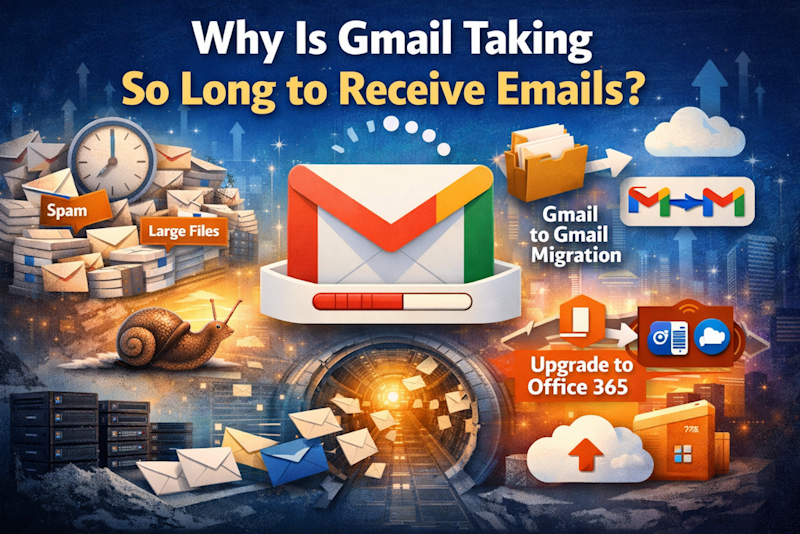
If your Gmail inbox feels slower than it used to, you are not alone. Many long-time users notice delays in receiving new emails, syncing across devices, or even seeing messages appear minutes later than expected.
The good news is that this is rarely a server outage or a permanent Gmail issue. In most cases, it is an inbox health problem that builds quietly over time.
Let’s break down every major reason Gmail slows down, what actually happens behind the scenes, and the smartest long-term fixes that go beyond basic “delete old mail” advice.
Why Gmail Takes So Long to Receive Emails
Gmail is powered by massive cloud infrastructure from Google, so speed issues almost never come from weak servers. The slowdown usually happens inside your own account.
Here are the most common causes.
1. Inbox Overload (The Biggest Culprit)
Over the years, Gmail collects:
• Tens of thousands of conversations
• Heavy attachments (PDFs, videos, backups, ZIP files)
• Marketing emails and automated alerts
• Long email threads that never get deleted
Even though Gmail can store it all, every new email still has to be:
✔ Scanned for spam and malware
✔ Indexed for search
✔ Synced across devices
✔ Processed by filters and labels
The more data sitting in your inbox, the longer these processes take.
Think of it like a computer with a nearly full hard drive. It still works, just slower.
2. Gmail’s Security & Filtering System Working Overtime
Gmail runs multiple background checks on every incoming message:
• Spam detection
• Phishing protection
• Virus scanning
• Promotions & Updates tab sorting
• Custom filter rules
When your inbox is huge or has complex filters, these checks can noticeably delay delivery.
3. Sync Conflicts Across Devices
If you use Gmail on:
• Mobile phone
• Tablet
• Multiple browsers
• Email clients
Gmail constantly syncs your entire mailbox state. Large inboxes mean heavier sync operations, which can slow real-time delivery.
4. Massive Attachments Eating Performance
Emails with large files remain part of Gmail’s processing system forever unless removed or archived. Years of attachments quietly drag down inbox performance.
5. Too Many Filters and Rules
Each incoming email runs through every rule you’ve created over the years. Old, forgotten filters can slow processing more than you’d expect.
Why Deleting Emails Isn’t the Best Solution
Most people try to fix Gmail slowness by:
❌ Mass deleting emails
❌ Emptying trash aggressively
❌ Manually cleaning inbox folders
This works temporarily but creates two problems:
• You permanently lose valuable data
• The process is time-consuming and risky
There is a smarter approach.
The Smart Fix: Offload Old Emails Without Losing Them
The fastest way to restore Gmail speed is not deletion.
It is migration.
By moving old emails out of your primary Gmail account into a second Gmail account (used as a backup archive), you:
✅ Reduce inbox load instantly
✅ Speed up syncing and delivery
✅ Keep all historical data safe
✅ Maintain a clean working inbox
This is exactly what the SysTools Gmail to Gmail Migration Tool is designed for. Find us on Google and get your copy of the software today.
What This Approach Solves
• Transfers emails in bulk
• Moves data by date range (for example, everything older than 2 years)
• Preserves folders, labels, and metadata
• Creates a clean active inbox + separate backup inbox
Once old data is offloaded, Gmail processes new emails dramatically faster.
Many users notice improvements within hours.
When Gmail Slowness Means You’ve Outgrown Personal Email
For individuals, Gmail cleanup usually solves performance problems.
For businesses, slow Gmail delivery often signals something bigger: the platform no longer fits growing workflows.
This is where migrating Gmail to Office 365 with SysTools becomes a strong long-term upgrade. Check out our go-to guide on Google.
Office 365 is part of the professional email ecosystem from Microsoft and offers:
• Enterprise-grade mailbox performance
• Advanced security and compliance
• Larger scalable storage
• Better Outlook and productivity integration
• Strong uptime for business communication
Many companies move Gmail data into Office 365 not just for speed, but for reliability and professional email management.
You mentioned linking one of your articles, which fits perfectly here, something like:
👉 Complete Step-by-Step Guide to Migrate Gmail to Office 365 Safely
(Place your internal blog link here for SEO and traffic flow.)
Quick Gmail Speed Optimization Tips (Alongside Migration)
Even before or after migrating old emails, these help:
✔ Remove unused filters
✔ Delete emails with huge attachments (search: has:attachment larger:10MB)
✔ Disable unnecessary browser extensions
✔ Clear Gmail cache occasionally
✔ Keep inbox focused on recent mail only
But migration remains the most impactful improvement.
Final Thoughts: Why Gmail Feels Slow and How to Fix It Permanently
Gmail does not usually slow down because it is broken.
It slows down because it is overloaded.
Years of stored emails, attachments, filters, and syncing quietly pile up until performance drops.
The smartest long-term strategy is:
• Move old emails to a backup Gmail account using SysTools Gmail to Gmail Migration
• Keep your main inbox light and fast
• Consider Office 365 migration if you rely on email for business
A clean inbox is not just organized.
It delivers emails faster.
It syncs smoother.
It saves time every day.
And once you experience Gmail running like new again, you will wonder why you waited so long to fix it.